Currently the add-on has rudimentary support for two hardwired sub-types, expressed via the labels "archive-review" or "archive-update".
This isn't complete, neither flexible.
Currently the add-on has rudimentary support for two hardwired sub-types, expressed via the labels "archive-review" or "archive-update".
This isn't complete, neither flexible.

As the space owner for me it is interesting to find out find out which pages are expired and do not have the label archive-review or archive-update. It could be implemented as a fourth filter option. This idea already came to the product backlog of midory. If I have other ideas I will enter.

It would be very useful to be able to label pages to expire in intervals. Setting a label like, expire_180 so that those pages expire every 180 days. This will make it very easy to set up once, and update every X number of days.
For example, we would set our quarterly reports pages to expire every quarter.

Along these lines, we could really use an extra label:
archive-children
Applied to a page, when Archiving is run all the CHILDREN of that page will get swept away to the Archive space, while preserving the page that has the "archive-children" label. That way, any child that gets added to that parent page will be archived.
Also, to clarify, this isn't a custom label (custom being made by customer to suit their needs) but simply adding an extra label to the already-in-use set that comes with the tool.
For instance there is already an archive-single, so hopefully adding an archive-children label and defining its functionality would not be a significant ask.
thanks!

@Kcosby if you add the "archive" (recursive) plus the "noarchive-single" (non-recursive) to a page, then all its children will be archived, but not the page itself! It works with the current app version, just tried.
Oh wow, yep! This works! Thank you! It's a little odd to explain to my end users but it does achieve the desired results. So grateful for you for pointing this out! I added it to our users guide.
Glad that it was helpful. (I know it's a bit odd, so I could imagine adding a dedicated label for this use case. That's exactly why I keep it open.)
UPDATE: We have released the Better Content Archiving app's cloud version just a few weeks ago. It addresses many points criticized in the Data Center version, including also this one.
(Our plan is that, if there is interest, we will back-port the most valuable changes from the Cloud version to the Data Center one.)
Statuses in the cloud version are extremely customizable. You can invent your own statuses: for example multiple types of "Expired" like "To update" and "To archive" (depending on labels)!
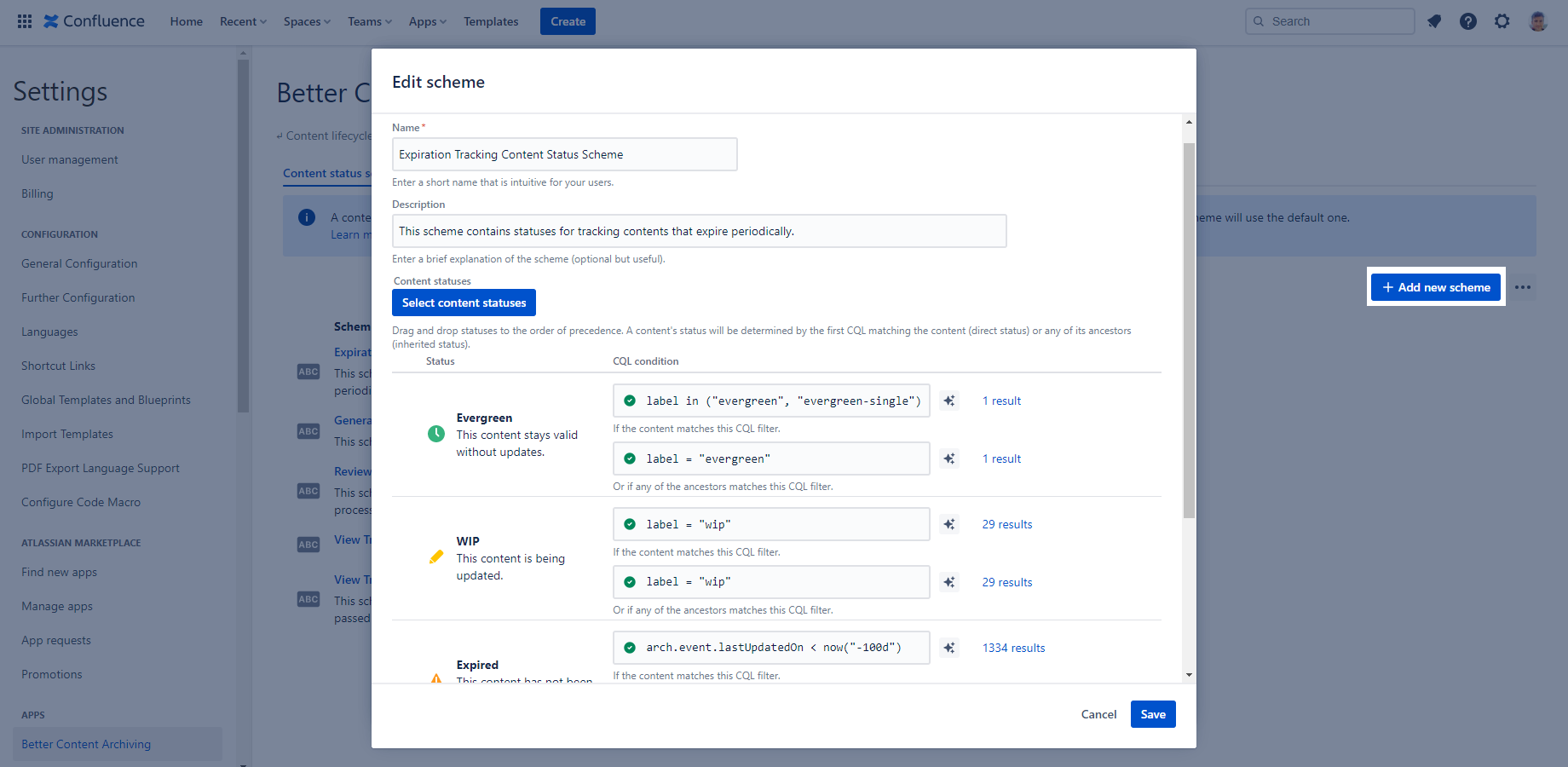
In the screenshot above, for example, you can see custom (inherited) statuses defined by their CQL queries. They are grouped to a content status scheme which can be applied to any space afterwards.
7 Comments