Configurable quick actions (for manual status transitions, manual workflows)

Problem:

To model manual (non-age-based) content status workflows, we encourage using labels. However, many regular users are not aware that labels even exist or they find it hard to use labels consistently - especially semantically conflicting labels.

Proposed solution:

Quick actions should be capable of transitioning contents between statuses in a manual workflow. Make quick actions configurable through "quick action" schemes. A scheme would define a list of actions and a corresponding label (or a content property name). By using a quick action like this, it would be impossible to add conflicting/overlapping labels (or content properties) to the same content.

(Support ticket reference #20530)

Have more questions? Submit a request

4 Comments

  • 0
    Avatar
    Aron Gombas

    I did my own research what are approaches to enforce a certain status on a given page using built-in features. 

    All these ideas are based on manipulating a certain content attribute using familiar, built-in features, which affects a certain CQL field. That way these will push the “specific status transitions” to the Confluence side, while the app can keep its engine “generic”.

    I will post the ideas as separate comments.

  • 0
    Avatar
    Aron Gombas

    Idea 1: Use an automation rule with manual trigger to add a “marker” label

    It is simple to set up and it works, but the UX isn’t best. The trigger is a bit hidden in the context of the page, plus there is quite some latency. (After adding the label, the page won’t reload.)

    Steps:

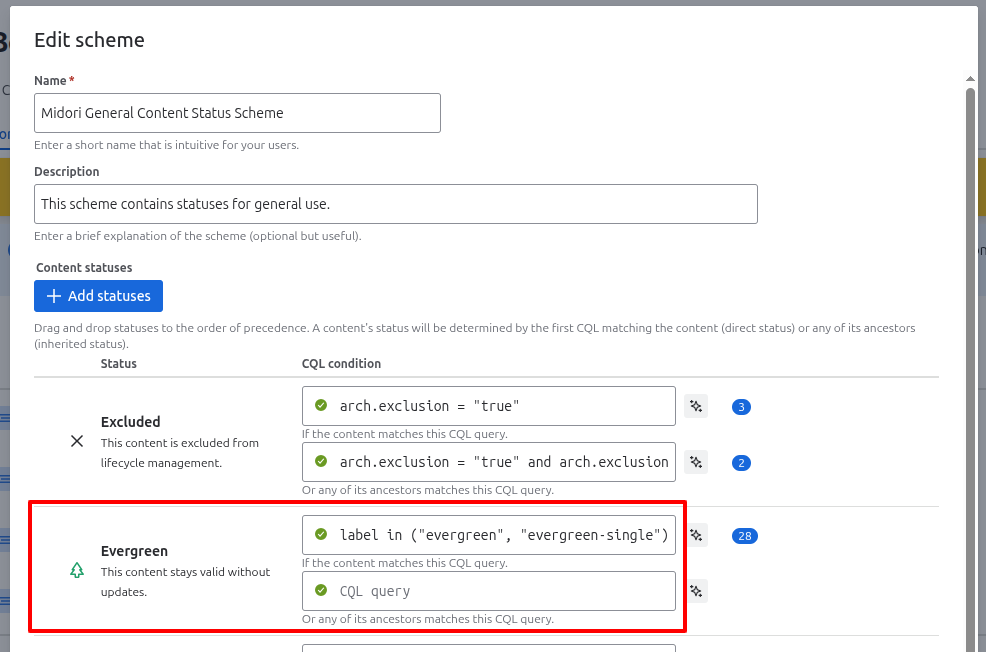
    1. Configure your status to rely on a label:
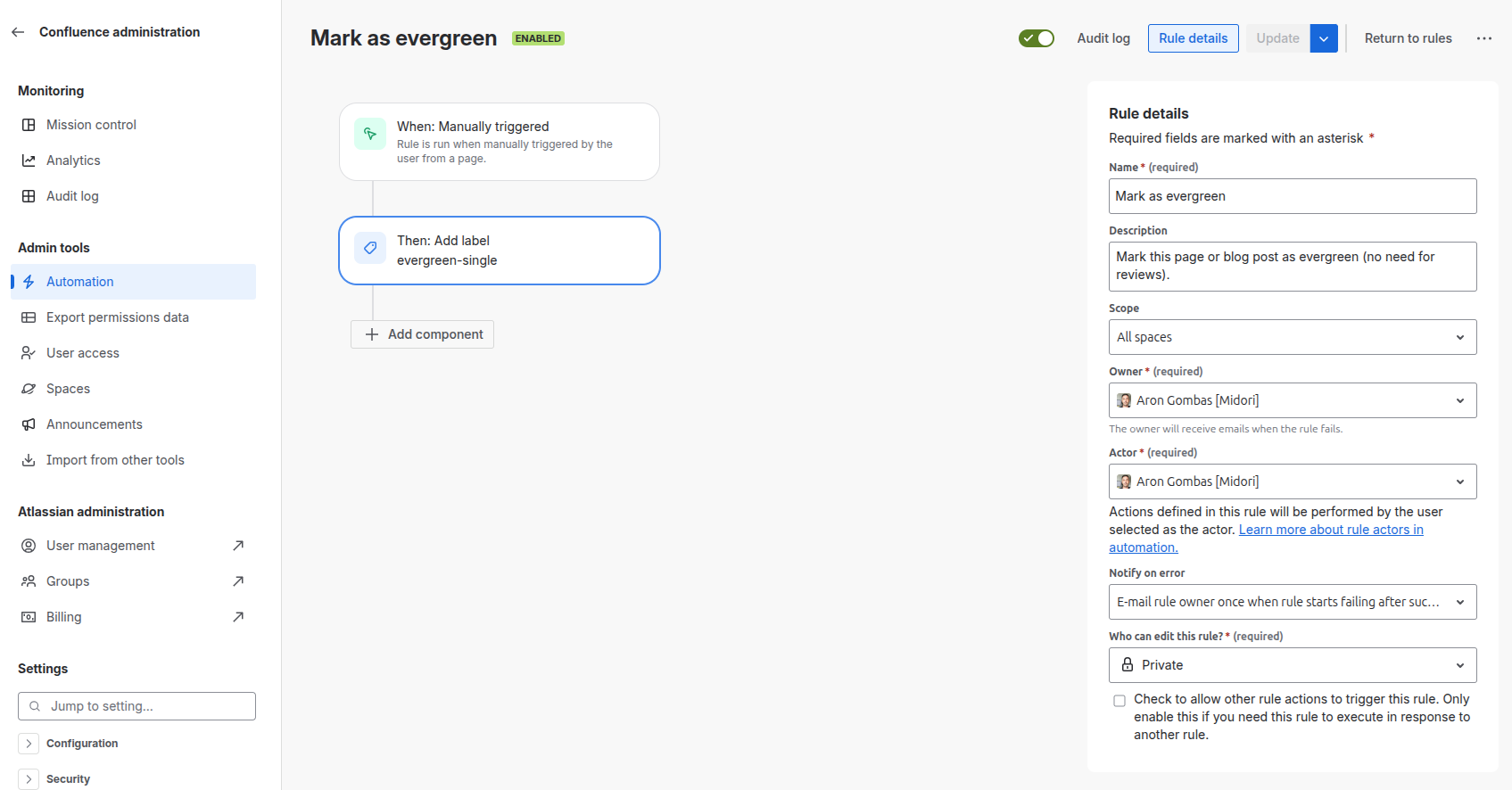
    2. Add an automation rule that makes it easy to run this rule through a manual trigger:

    Cons:

    • Requires built-in automation (not available everywhere)
    • Manual trigger automations are a bit hidden (under the “…” menu)
    Edited by Aron Gombas
  • 0
    Avatar
    Aron Gombas

    Workaround 2: Use the built-in statuses to affect our statuses

    Because built-in statuses are “native” for the user to manage, let those affect our statues.

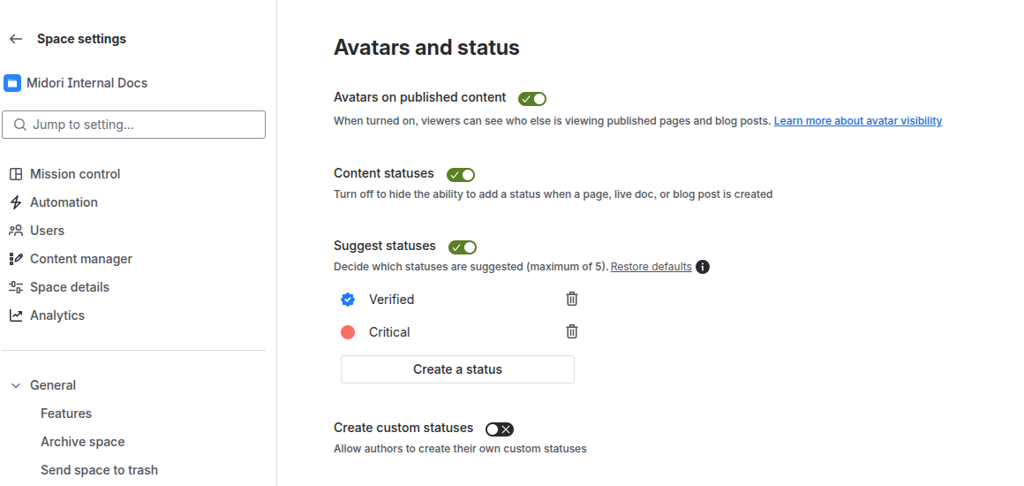
    1. Define a built-in status (which is easy to manage by your users):
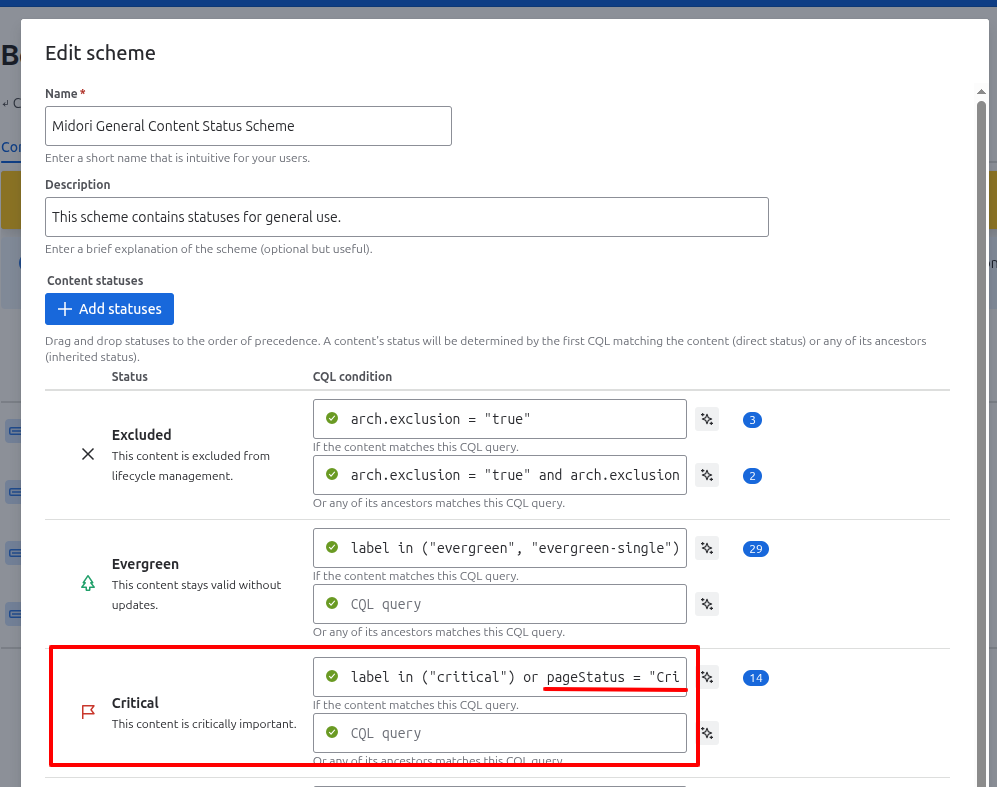
    2. Configure your status to rely on that:

    Pros:

    • Feels native to the user

    Cons:

    • Seeing two statuses is confusing for the user
    • Built-in statuses have the scope “space” while content status schemes have the scope “site”, it can lead to confusion
    Edited by Aron Gombas
  • 0
    Avatar
    Aron Gombas

    Workaround 3: Use other built-in attribute to affect our statuses

    Similar to “built-in statuses”, the following are content attributes that is easy to manipulate for the user and are available as CQL fields.

    Options:

    macro (use a macro in the page to affect its status)

    • cons: if you use a “marker” macro (status macro could be a good candidate), then you can use that only for this purpose

    mention (create a “marker” user, mention that user to affect its status)

    • cons: adding a new user per status is confusing

    owner (create a “marker” user, set that user as owner to affect its status)

    • cons: adding a new user per status is confusing, losing the original owner is confusing

    text or title (add the words “needs review” to affect its status)

    • pros: it can feel convenient in practice
    Edited by Aron Gombas
Please sign in to leave a comment.